Back to portfolio
Case study

Privacy-first therapy notes workflow for local capture, transcription, and follow-up.

A real capability review based on MIREA Studio: a desktop workflow that helps clinicians capture sessions, review transcripts, and produce notes without sending sensitive material into a cloud-first flow.

Project context

This case study is drawn from the actual MIREA Studio product codebase. The public framing stays close to the observed implementation and documented privacy requirements rather than implying a public named-client deployment.

Case file

Best fit

Clinicians or teams that need session notes without cloud-first handling

What it supports

Capture, transcription, note review, and recovery in one workflow

Why it is credible

Local-first handling, encryption, and recovery are built into the product

Delivery story

The project in sequence

01

The problem

Therapy-session workflows create a hard product constraint: clinicians need recordings, transcripts, notes, and recovery paths, but the underlying audio and client context are sensitive from the first minute of capture.

The challenge is not only privacy on paper. The workflow still has to feel calm and usable in real clinical work, including when something goes wrong.
02

The product

MIREA Studio centers the workflow on a local-first desktop product: session capture, transcript review, note workflows, and recovery are designed to happen locally by default instead of assuming a hosted SaaS path.

Around that core, the product adds encrypted storage, reusable note structures, searchable session records, and recovery tooling so the privacy model actually supports day-to-day work instead of blocking it.

03

Why it feels trustworthy

What makes the case study strong is the coverage across layers: local capture, transcript handling, encryption, local storage, and backup/recovery are all part of one product boundary.

Just as important, the trust story is honest. The codebase shows strong privacy controls and consent-gated validation paths, so the right public framing is privacy-first clinical tooling, not inflated compliance marketing.

Observed stack

RustTauriPythonWhisperSQLiteAES-256-GCM

Team outcomes

Privacy posture

Local by default

Session handling

Encrypted records

Continuity

Backup and recovery

Product surface

Even in an early build, the product already reads like a working clinical workstation rather than a throwaway demo shell.

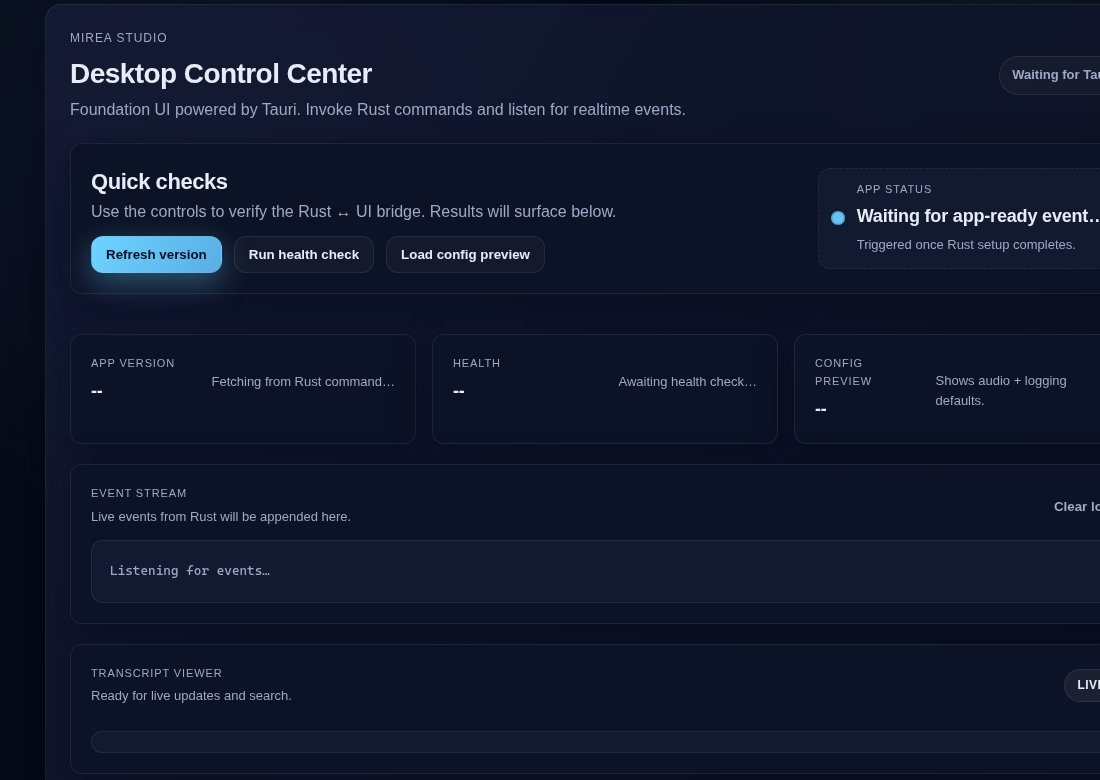
The checked-in UI assets are limited, but they still help show the product shape: a desktop control surface, clear status framing, and a transcript area designed for live review instead of post-hoc dumping.

Mirea Studio desktop control center with quick checks, event stream, and transcript viewer.
Full product view: the desktop shell ties capture controls, health/status feedback, and transcript review into one local workflow.
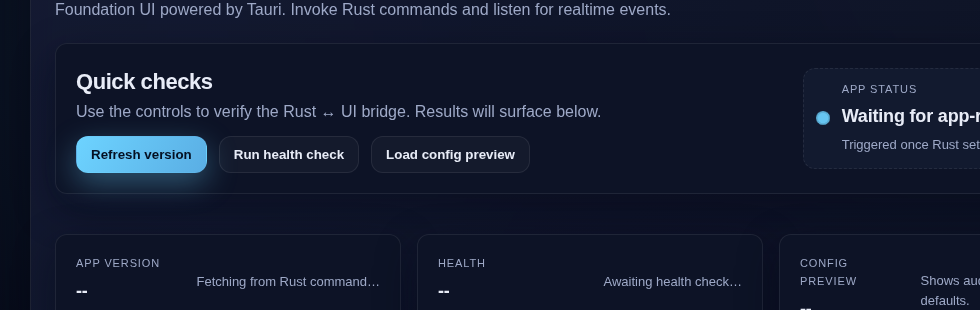
Cropped Mirea Studio control and status area showing quick checks and app status.
Control/status crop: a good supporting image when the story is orchestration, not just transcription.
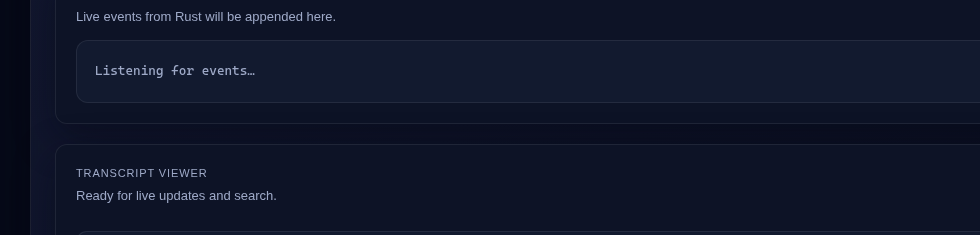
Cropped Mirea Studio event stream and transcript panel.
Transcript/event crop: useful when the page needs to emphasize live review and offline-friendly editing paths.

How it works

The product works because the sensitive workflow stays local, while specialized workers handle the narrow tasks around it.

The desktop shell owns capture, storage, status, and recovery. A narrower worker handles transcription and local summarization without turning the whole workflow into a cloud dependency. That keeps the product usable while preserving the privacy posture.

Why it is credible

The strongest claims here are the ones the product and tests can already support in a sensitive environment.

01

Local-first capture and processing

The product docs define the app as on-device by default, with no network by default and any online validation gated by consent.

02

Encrypted session notes and client metadata

Session storage docs and tests show AES-256-GCM protection for display names and notes, with encrypted fields transparently decoded on read.

03

Recovery and retention controls

Backup management includes retention windows, health checks, cleanup behavior, and recovery-oriented test coverage rather than a simple export-only flow.

04

Offline-friendly transcript editing

The UI keeps transcript editing and speaker labeling usable with local fallbacks when the backend command path is unavailable.

Related use cases

Problems this proof can support

This proof stays project-specific. Related use cases show the broader situations where similar system shapes can help.

AI automation use case

Automating repeated work without hiding the decisions.

This situation is for teams whose capacity is being drained by repeatable work: intake, documents, approvals, routing, reporting, review queues, or recurring coordination that should be easier to operate.

See the use case

Next step

If sensitive session work still feels split between privacy needs and day-to-day usability, we can help design a calmer workflow.

This kind of product matters when a team needs local-first capture, transcription, notes, and recovery to feel dependable in practice, not only compliant in principle.

What information has to stay local from first capture onward

Where transcript review, note editing, and follow-up need to stay simple

How recovery, consent, and continuity should shape the product

A first conversation is usually enough to map the workflow, the constraints, and the right shape for a useful first version.