Back to portfolio
Case study

Low-code workflow platform for teams that need to build and run complex data processes without losing control.

A combined platform case study based on wanELF and wanElf-ui: a data runtime and visual editor that help teams design, validate, and run reusable workflows without turning the real execution model into a black box.

Project context

This story is based on the actual wanELF runtime and wanElf-ui editor rather than a named public client deployment. The framing here stays close to what the runtime, UI, docs, and tests already prove.

Case file

Best fit

Teams building repeatable data workflows with multiple steps, inputs, and handoffs

What it provides

A visual workflow editor connected to a real execution runtime

Why it is credible

Validation, execution feedback, and reusable workflow modules stay visible

Delivery story

The project in sequence

01

The problem

Data workflow products often fail in one of two ways: either the runtime is powerful but too opaque for non-specialists to trust, or the visual editor looks friendly until the workflow becomes complicated and the real execution rules start leaking through.

The harder requirement was not just to run a pipeline. It was to give teams a way to build, inspect, validate, and rerun workflows without losing sight of what the engine would actually do.
02

The product

wanELF provides the runtime: loading APIs, workflow models, processing layers, catalog metadata, and execution services. wanElf-ui turns that runtime into a usable product surface with graph editing, node configuration, validation before execution, reusable modules, and runtime feedback.

That combination matters commercially. The result is not just a backend toolkit and not just a diagram editor. It is a low-code workflow platform where the visual layer and the execution layer still agree with each other.

03

Why it feels reliable

The strongest part of the platform is the bridge between backend and frontend. The same workflow graph shows up in the editor, the catalog, the validator, and the execution path, which keeps the product grounded in what the runtime can really support.

That makes the story more convincing than a generic ETL tool. Teams are not choosing between ease of use and runtime honesty. They get a product where workflow design, execution rules, and visual feedback are part of one system.

Observed stack

PythonFastAPIPolarsReactTypeScriptReact Flow

Team outcomes

Workflow design

Visual and reusable

Execution confidence

Validation + runtime feedback

Reuse path

Modules and subflows

Workflow surface

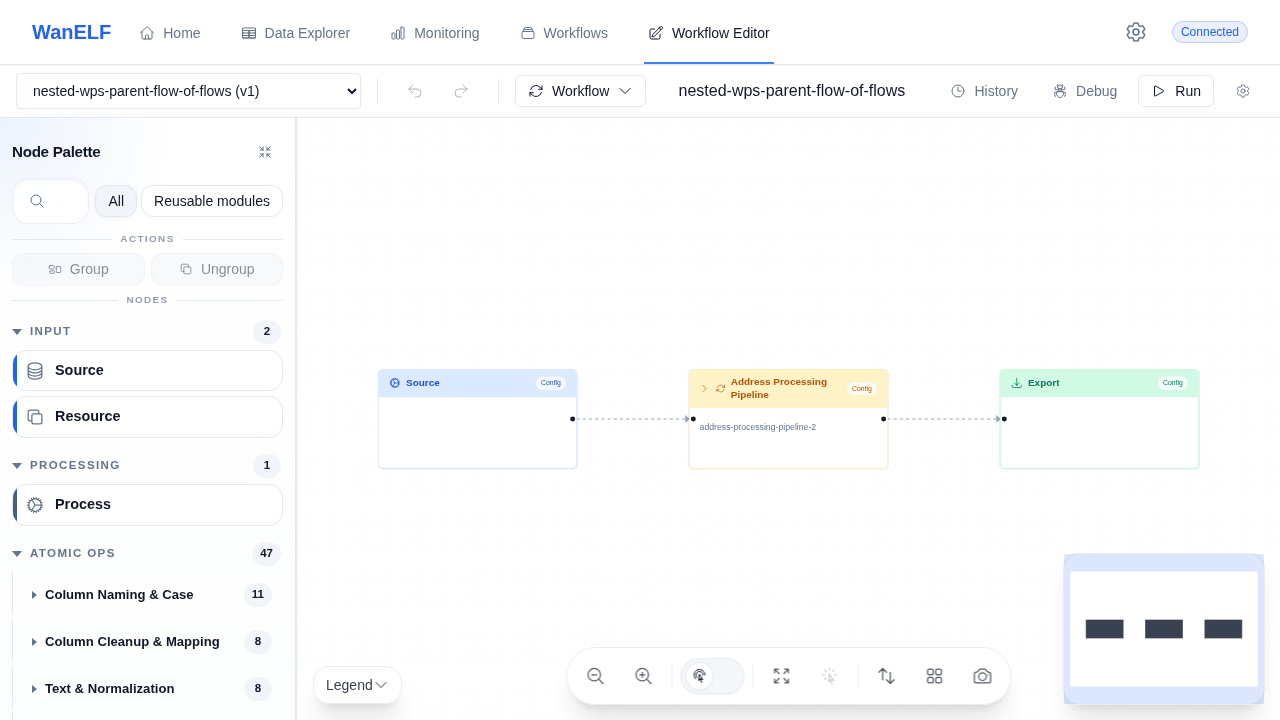
The visual surface already makes the product argument clearly: build workflows visually, but keep the execution reality visible.

These screenshots are useful because they show the actual editor, execution feedback, and reusable workflow structure rather than a polished mockup disconnected from the runtime.

WanELF workflow editor showing a three-node parent flow with source, processing pipeline, and export nodes.
Editor layout: palette, graph canvas, and reusable module workflow all visible in one working screen.
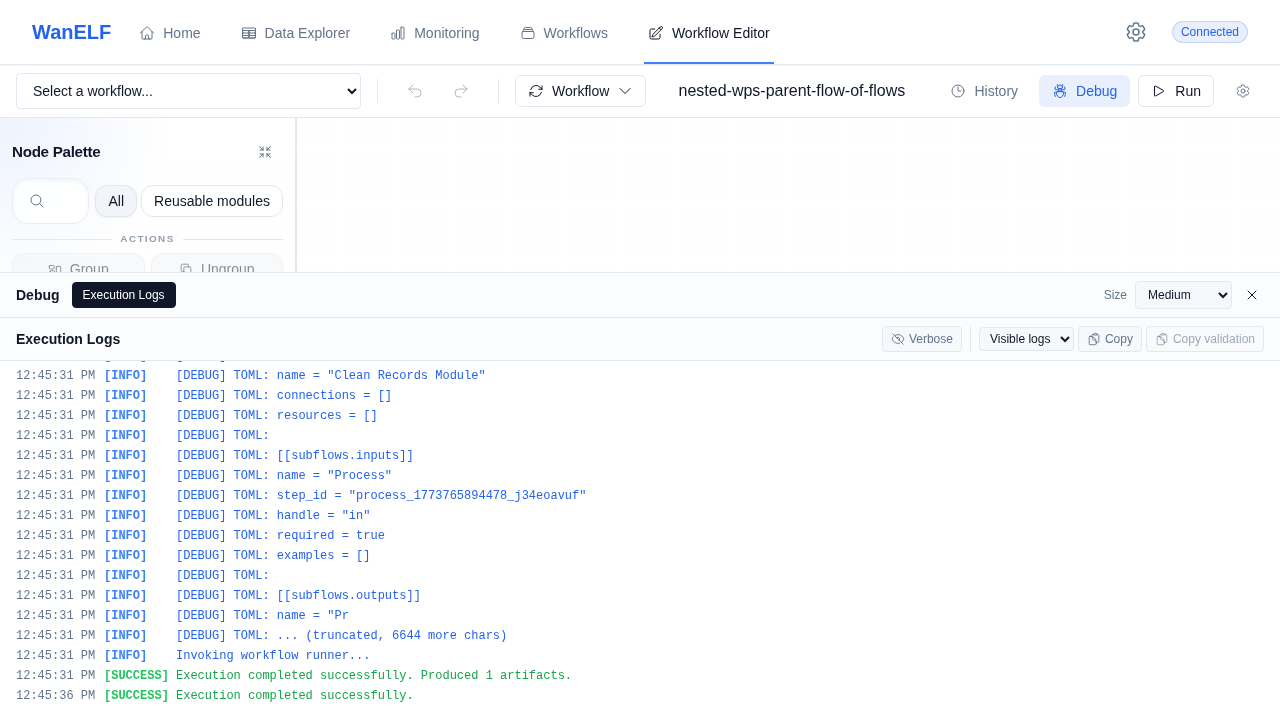
WanELF UI execution log panel showing successful workflow completion and produced artifacts.
Execution feedback: the debug panel keeps runtime logs and successful completion visible during workflow runs.
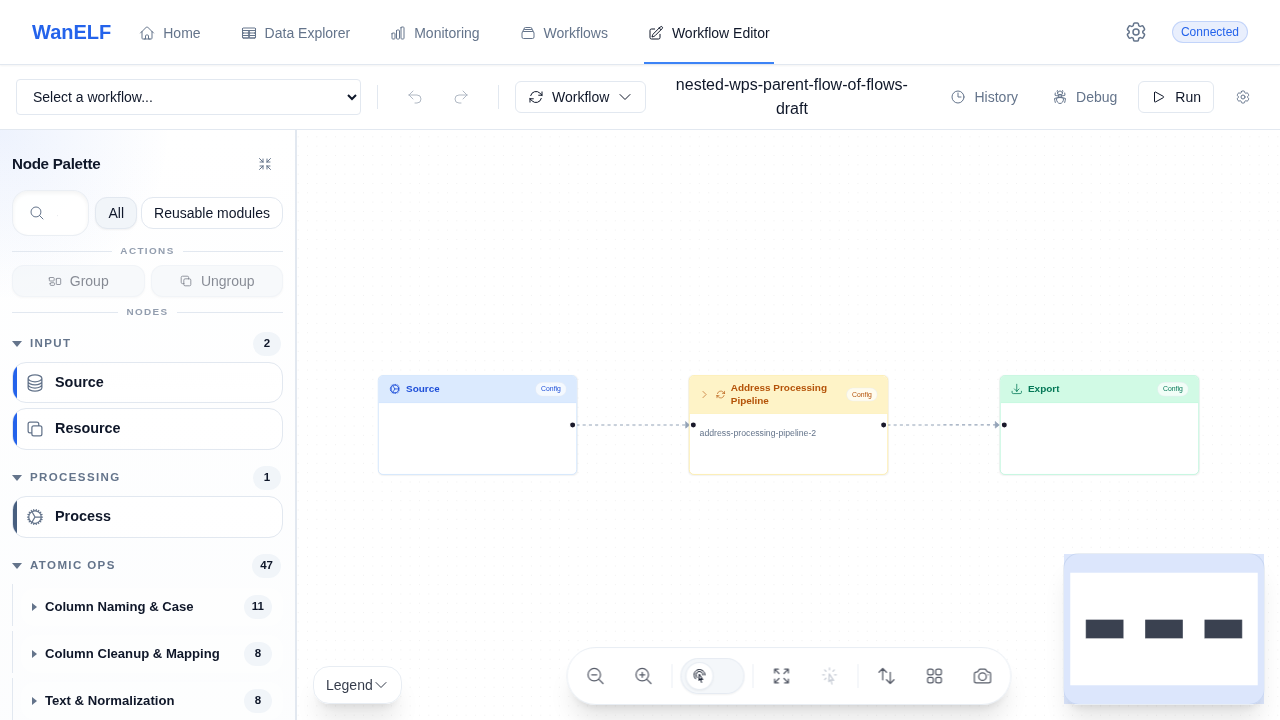
WanELF workflow editor preserving workflow visualization after a round-trip.
Round-trip preservation: an important signal that the visual editor and serialized workflow stay aligned.

Why it is credible

The value here is not just visual workflow editing. It is a workflow platform where the editor, the validator, and the runtime are aligned.

01

A real runtime sits behind the editor

The backend README and project structure show a three-tier data runtime, workflow models, processing layers, and execution services rather than a frontend-only workflow concept.

02

Node contracts are explicit

The node registry defines ports, parameter specs, schema, and metadata as explicit contract objects, which is exactly what makes a low-code editor trustworthy once workflows get more complex.

03

The product is built for workflow authoring

The wanElf-ui repo and docs position the editor as a visual workflow authoring surface with graph editing, saved workflows, validation, and execution tooling instead of a static builder demo.

04

Execution feedback stays visible

The backend exposes catalog, workflow, execution, and websocket surfaces, and the editor blocks execution on validation errors before sending a run, which helps keep the visual workflow honest.

Related use cases

Problems this proof can support

This proof stays project-specific. Related use cases show the broader situations where similar system shapes can help.

AI automation use case

Automating repeated work without hiding the decisions.

This situation is for teams whose capacity is being drained by repeatable work: intake, documents, approvals, routing, reporting, review queues, or recurring coordination that should be easier to operate.

See the use case

Bespoke software use case

Building internal tools when generic software does not fit.

This situation is for teams whose work has outgrown spreadsheets, inboxes, and generic SaaS, but does not fit neatly into an off-the-shelf platform.

See the use case

AI system planning use case

Planning the AI and software system before building it.

This situation is for companies that know a system is needed, but need a clearer operating model, software boundary, and implementation path before committing to delivery.

See the use case

Next step

If your team still depends on engineering every time a workflow changes, we can help make that process more usable.

wanELF is strongest when the challenge is not only processing data, but giving operators a reliable way to build, validate, and rerun workflows without losing visibility or control.

Which workflow still stalls once the handoff leaves engineering

What operators need to see before they can trust a run

How reusable modules, validation, and execution feedback should work together

A first conversation is usually enough to map the workflow, the constraints, and the right shape for a useful first version.